
Reporting & dashboard
Transaction data is only useful when it turns into something your accountant, your board or your own team can act on.
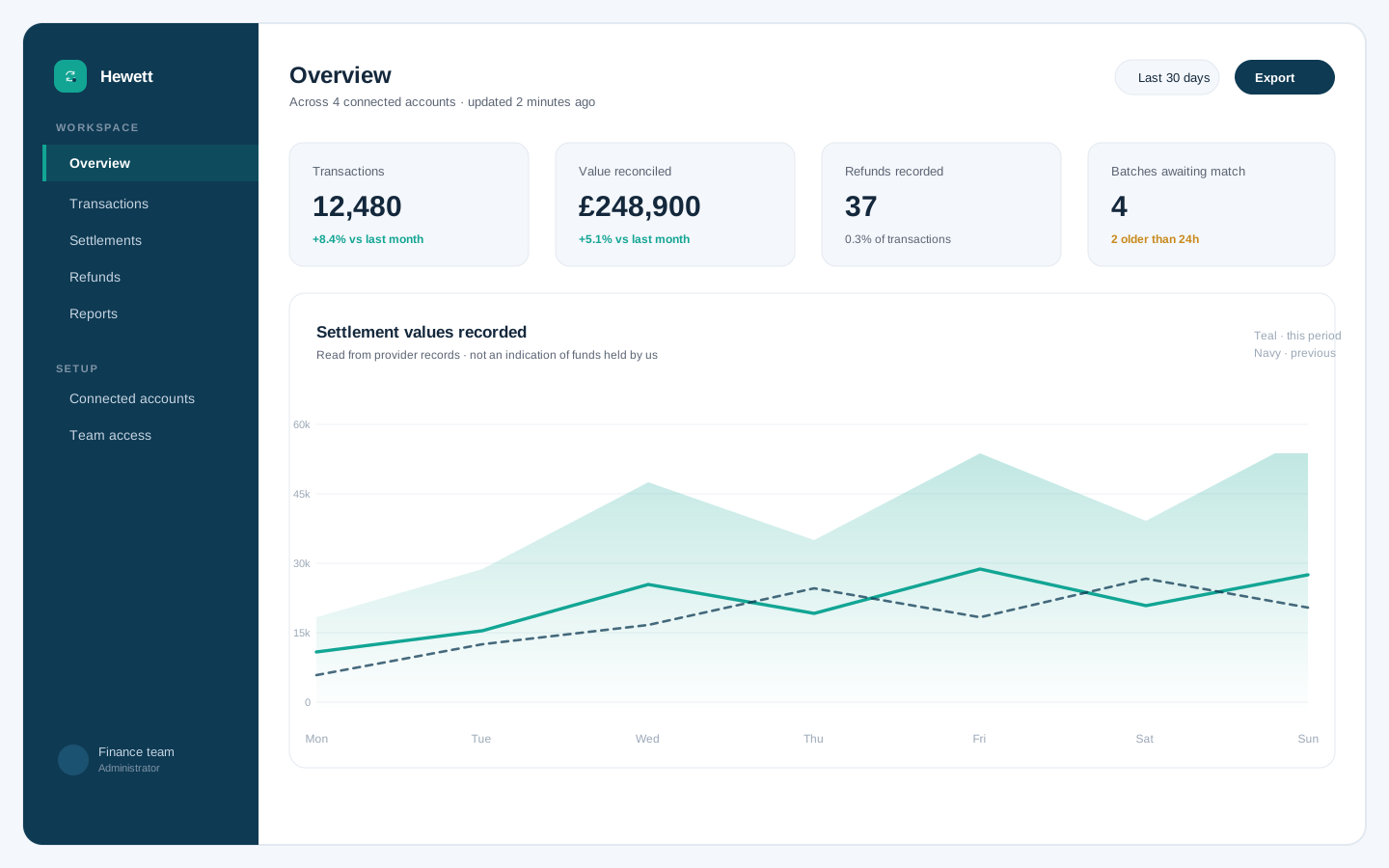
One dashboard, the numbers that matter
The dashboard brings together transaction volume, payment status, refund activity and order flow across every connected account. You choose the period, and the platform builds the summary — no exports to stitch together first.
- Transaction-level detail behind every summary
- Period summaries by week, month or custom range
- Refund and failure rates visible over time
- CSV export for your own analysis
Report types included
Standard reports cover the questions finance and operations ask most often.
Transaction report
Every transaction in the selected period, with status and reference.
Period summary
Totals by period, ready for month-end or board reporting.
Refund report
Refunds raised and completed, with the original payments attached.
Order report
Order volume and value alongside their payment outcomes.
Account view
The same reporting applied across each connected provider account.
Custom range
Any date range you need, including comparisons between periods.
Data you can hand to your accountant
Exports are produced in a plain, predictable structure so that whoever does your books can import them without a translation layer. Where you work with an accountant or bookkeeper, they can be given read access rather than being sent screenshots.
- Predictable column structure for imports
- Read-only access for your accountant
- Consistent reference numbers across reports
- History retained inside the platform
See a reporting walkthrough
We will show you the standard reports and how they are configured for your business.